For the past few weeks I have been working on a mobile app with react native and expo.
It was my first time using both, and I didn’t expect it to be very different. React Native is still just React right? I was wrong.
Working with native modules and iOS configurations has been humbling to say the least and somehow made me appreciate the web even more than I already did.
Getting Comfortable with Expo
For the most part, Expo was a pleasant experience. Not exactly plug-and-play, but familiar enough once I understood what worked inside Expo Go and what required a full native build.
Structurally, it felt similar to other React frameworks I’ve used:
file-based routing
a router function
nativewind for styling (tailwind on mobile)
The unfamiliar parts weren’t React it was everything else around it.
I also worked with GraphQL for the first time during this project. I’ll be honest: I didn’t enjoy it. That’s probably a me problem, but it definitely added to the mental load of learning mobile stuff + a query language all at once.
What is Fable?
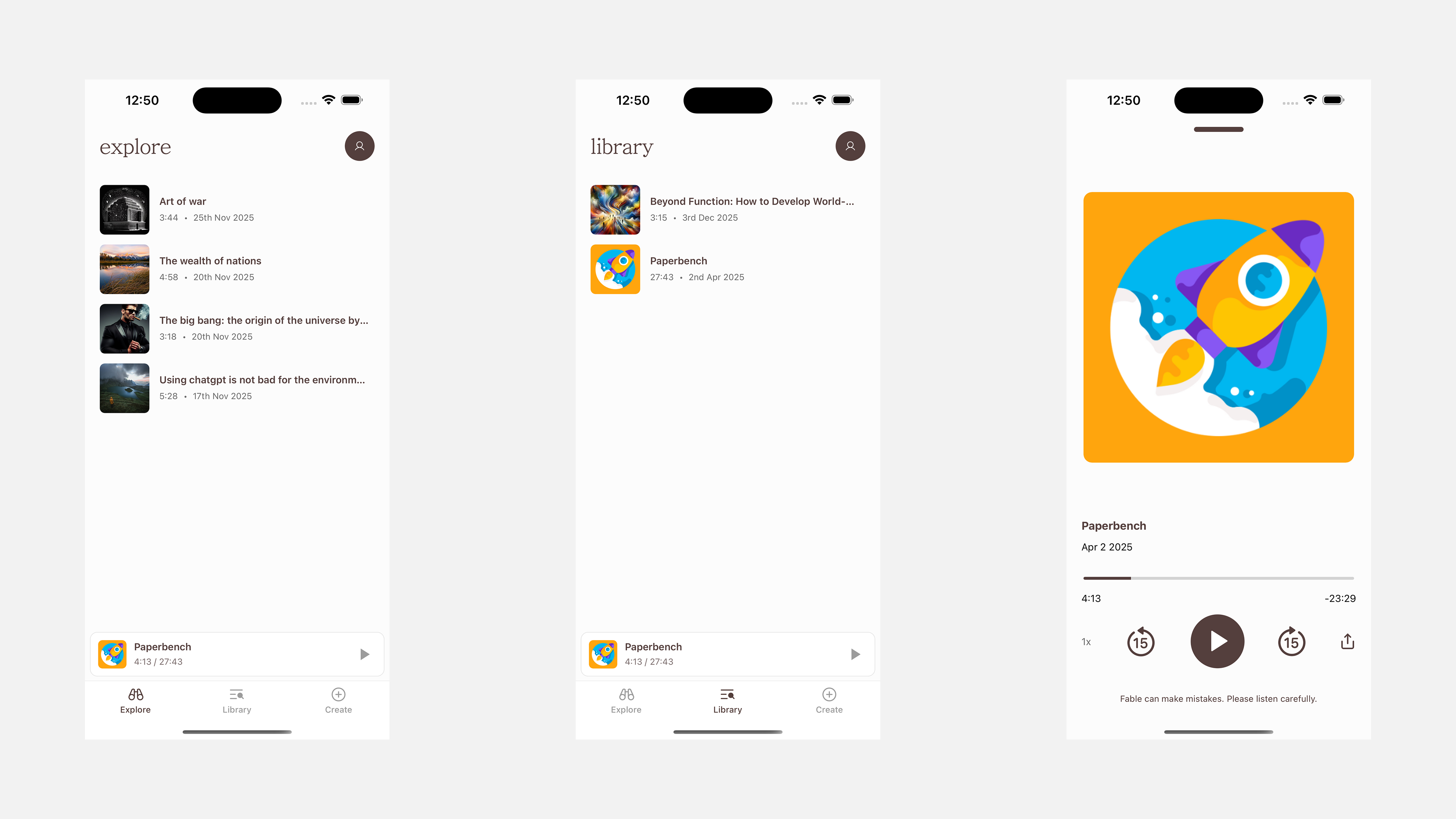
The app I worked on is called Fable — an iOS app designed to help you digest written content by turning articles and documents into podcasts.
At a high level, it works like this:
You sign up and can listen to a curated list of podcasts on the Explore page
Or you head to create and upload a document or paste a link to an article
Pick your “hosts” ( a combination of voices that will be used for the podcast)
The podcast is generated on the server
You’re notified when it’s ready
It shows up in your library, where you can listen in the built-in player
Nothing fancy on the surface — but one feature turned out to be way harder than I expected.
Share to Fable
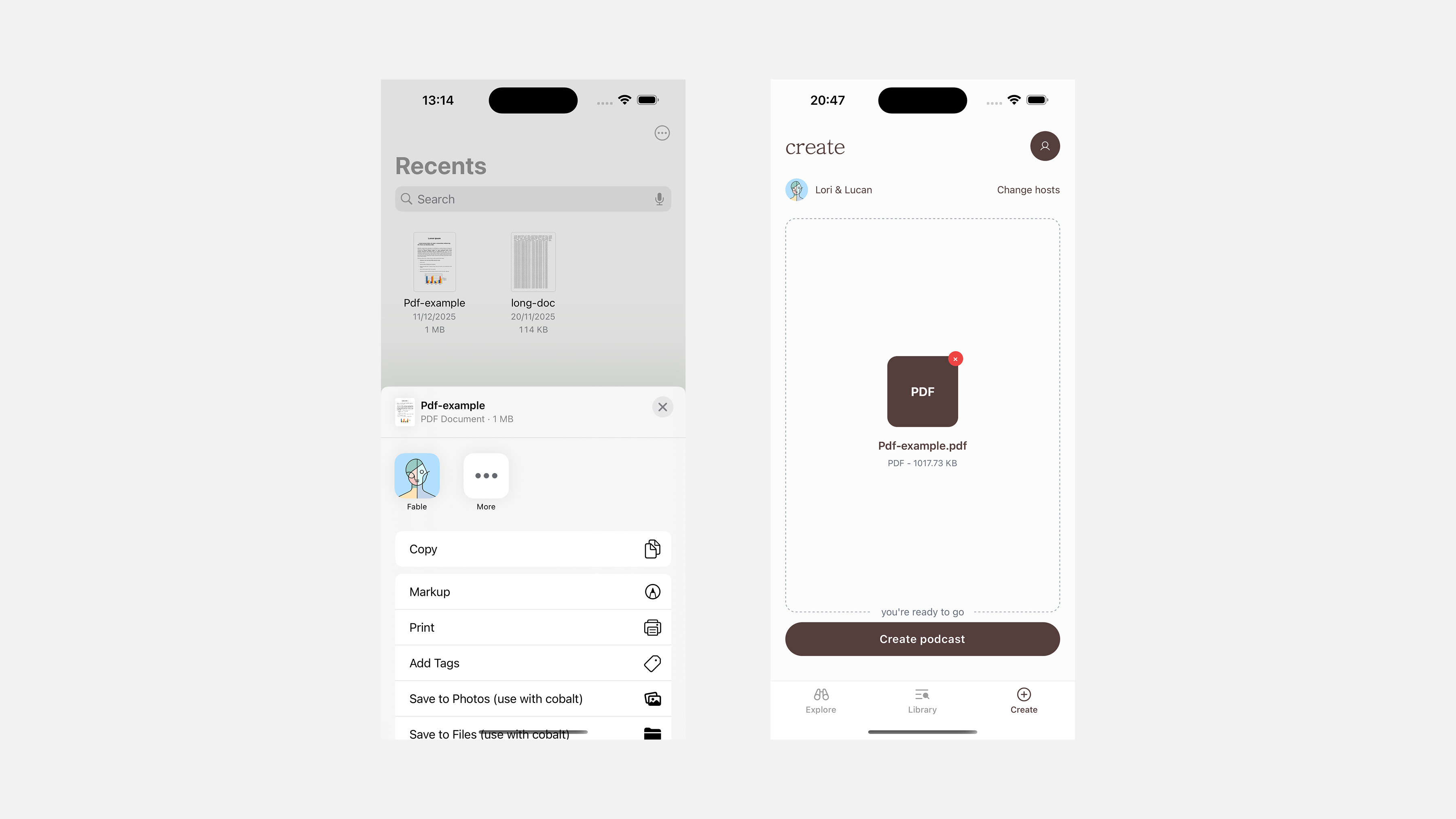
One of the features I was responsible for building is something I like to call “Share to Fable”.
The goal was simple:
When a user taps Share on a document from their file system or another app Fable should appear as an option.
Tap it, and the document should open directly inside the Create screen, ready to be turned into a podcast.
Pretty simple right?.
The iOS headache
The hard part of this feature wasn’t writing code I wish it was.
The difficulty was in configuration — specifically working with Xcode for the first time. The UI is dense, unintuitive, and assumes you already know how things work. There are a lot of concepts that I needed to understand, and almost no beginner-friendly explanations tying them together.
There also weren’t many good resources:
YouTube tutorials were usually on full swift apps
Blog posts were either outdated or nonexistent for my specific use case
I ended up stitching things together using Apple’s documentation, trial and error, and a lot of help from ChatGPT.
Share extensions (the mental model)
On iOS, a share extension isn’t just a button you toggle on.
It’s essentially a small, separate app that runs inside the share sheet. It has its own lifecycle, its own permissions, and very limited access to your main app.
Understanding that distinction made everything else about this feature make more sense.
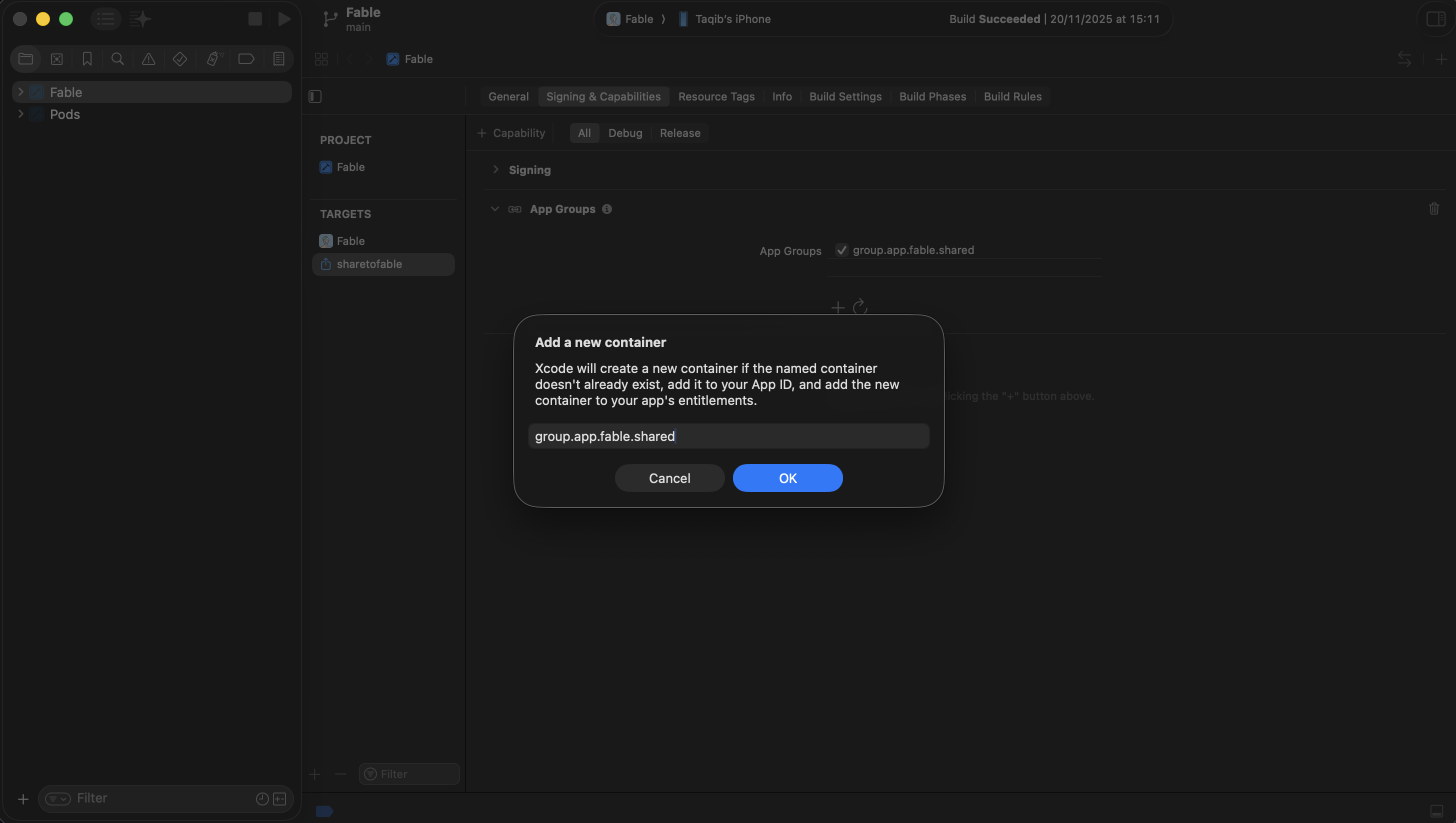
App Groups (the “shared bucket”)
Because a share extension can’t directly talk to your main app, you need a shared space that both can access.
Apple calls this App Groups.
The simplest way I can explain it is:
a shared storage bucket that two different apps are allowed to read from and write to.
The share extension drops the file into this shared container. The main app later picks it up from there.
That single concept took me way longer to understand than I’d like to admit.
The actual flow (high level)
Once everything is configured, the flow looks roughly like this:
The user shares a file to Fable
The share extension copies the file into the App Group container
The extension opens the main app using a deep link
The app reads the shared file and routes the user to the Create screen
And that’s it.
It sounds straightforward when written out like this. Getting there for the first time was not.
Writing Swift with zero Swift experience
One funny part of this feature: it requires writing native code for handling the share modal and I have zero Swift experience.
Every line of Swift code inside the share extension was written by Cursor. I understood what the code was doing, but I didn’t write it from scratch — and honestly, wouldn’t want to.
The challenge with this was mostly knowing when the code runs, and how it connects back to React Native.
The React Native side
On the React Native side, things were much more familiar.
I listen for incoming deep links at the root of the app, route the user to the Create screen, and pass along the shared file reference.
From there, the Create page reads the file, sets it into state, and shows it to the user as if they uploaded it manually.
This part felt almost relaxing compared to the iOS setup that came before it.
Why I’m writing this
Just documenting my experience using unfamiliar tech
I might write a full tutorial on how to setup share extensions in react native / expo.
That’s all for now.